



Finding the right people quickly and easily is crucial in today’s busy job market. Traditional hiring methods take a lot of time and can have mistakes. To solve this, CareerHub is introducing an AI-powered Resume Analyzer to make hiring easier.
This Latest AI Resume Analyzer is designed for HR professionals to quickly review candidate’s skills, strengths, and weaknesses. This feature helps you save time and make smarter hiring decisions with less effort.
There are two options available for this AI feature:
Options :1
1. Create or Log In to Your Account
Start by visiting CareerHub. You can sign up for a new account or log in to your existing one.
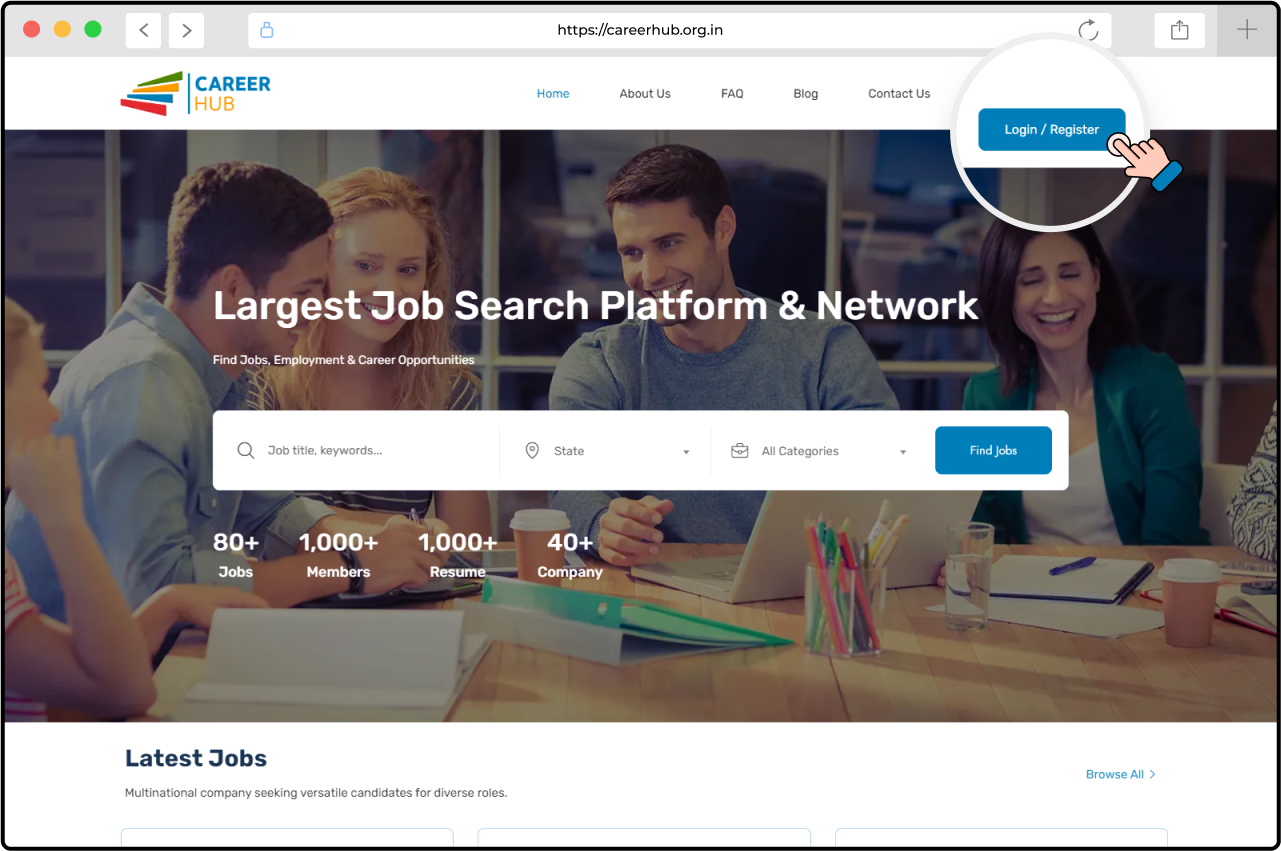
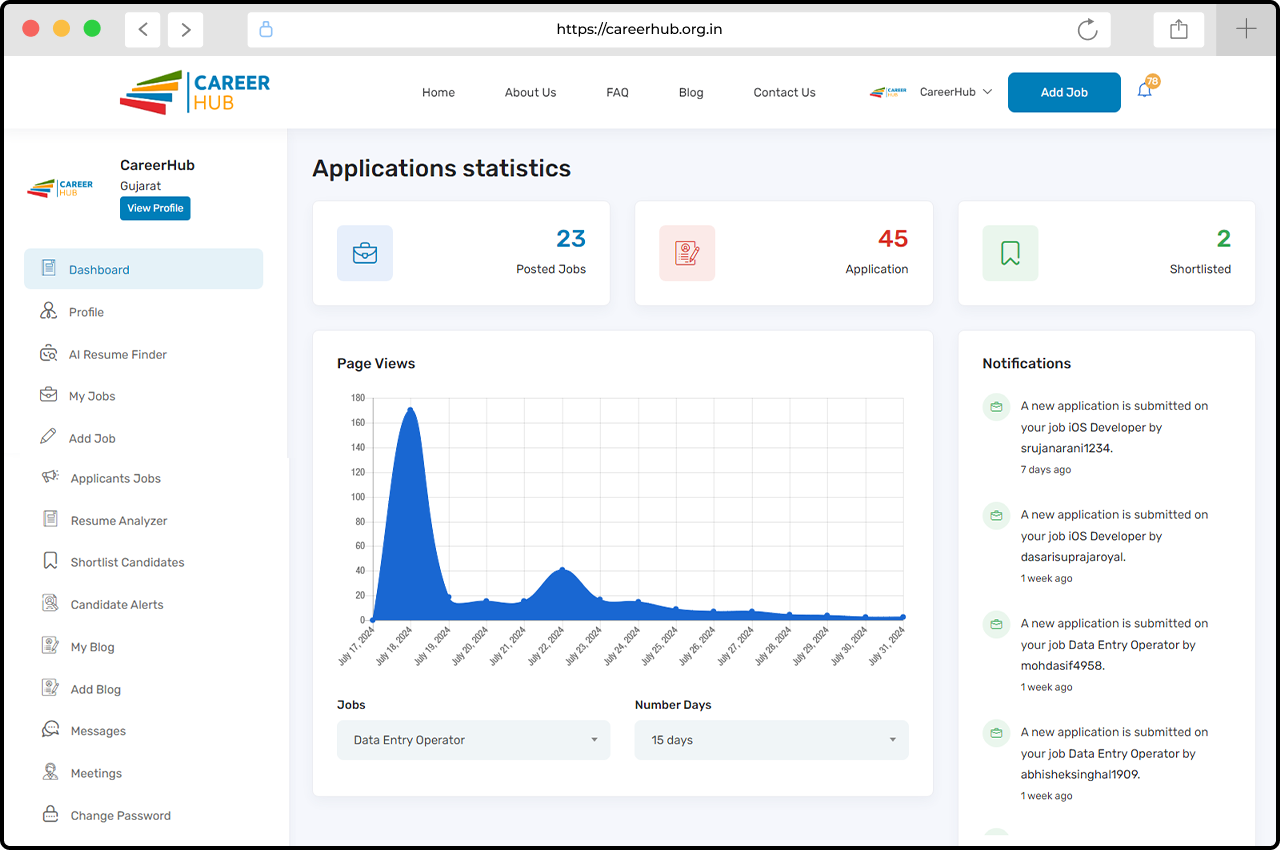
2. Go to the HR Dashboard
After logging in, go to the HR dashboard where you can manage job postings and other HR tasks.
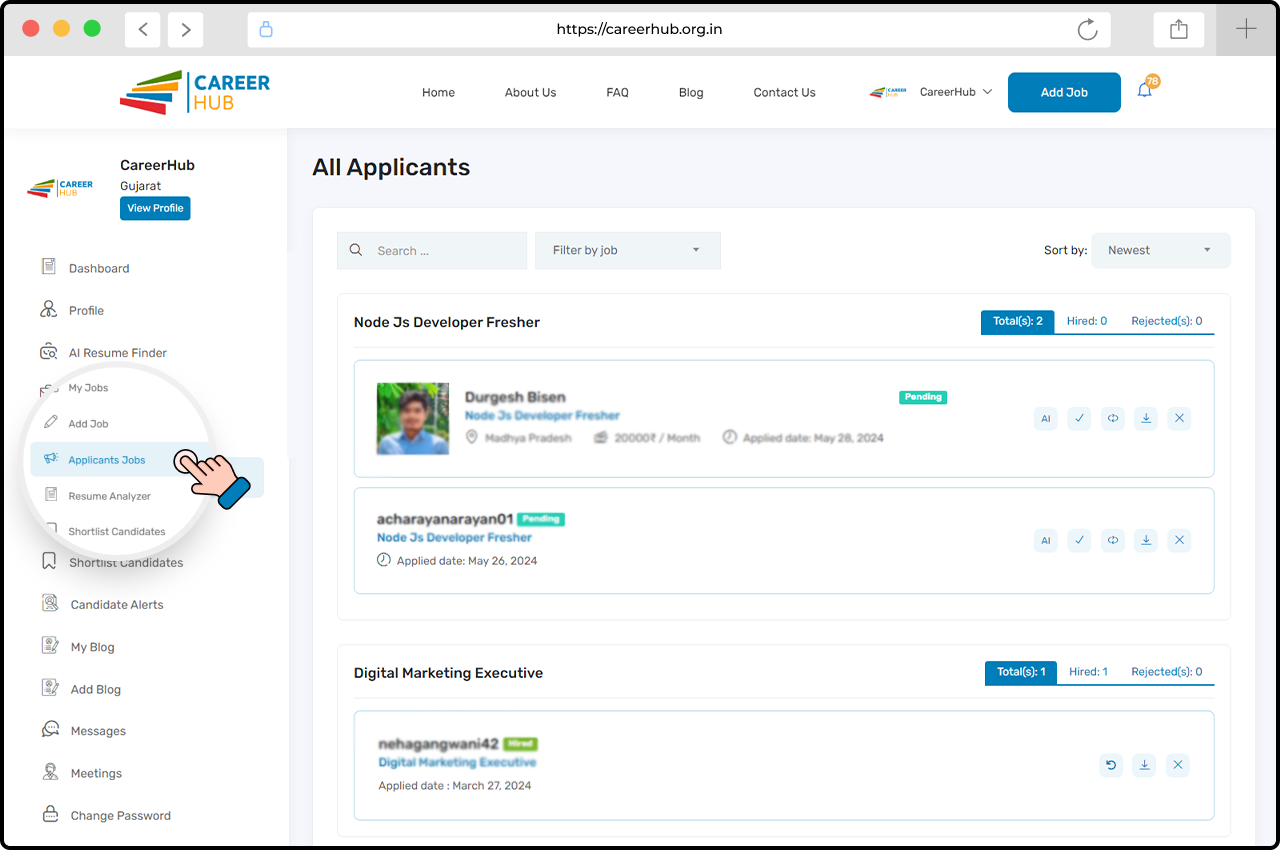
3. Click on “Applicants Jobs.”
In the HR dashboard, find and click on the “Applicants Jobs” button to start. Choose the candidates listed and select their resume.
4. View Applicants List – Job Wise
The Applicants List will open, and you will see the AI button on all Applicant profiles.
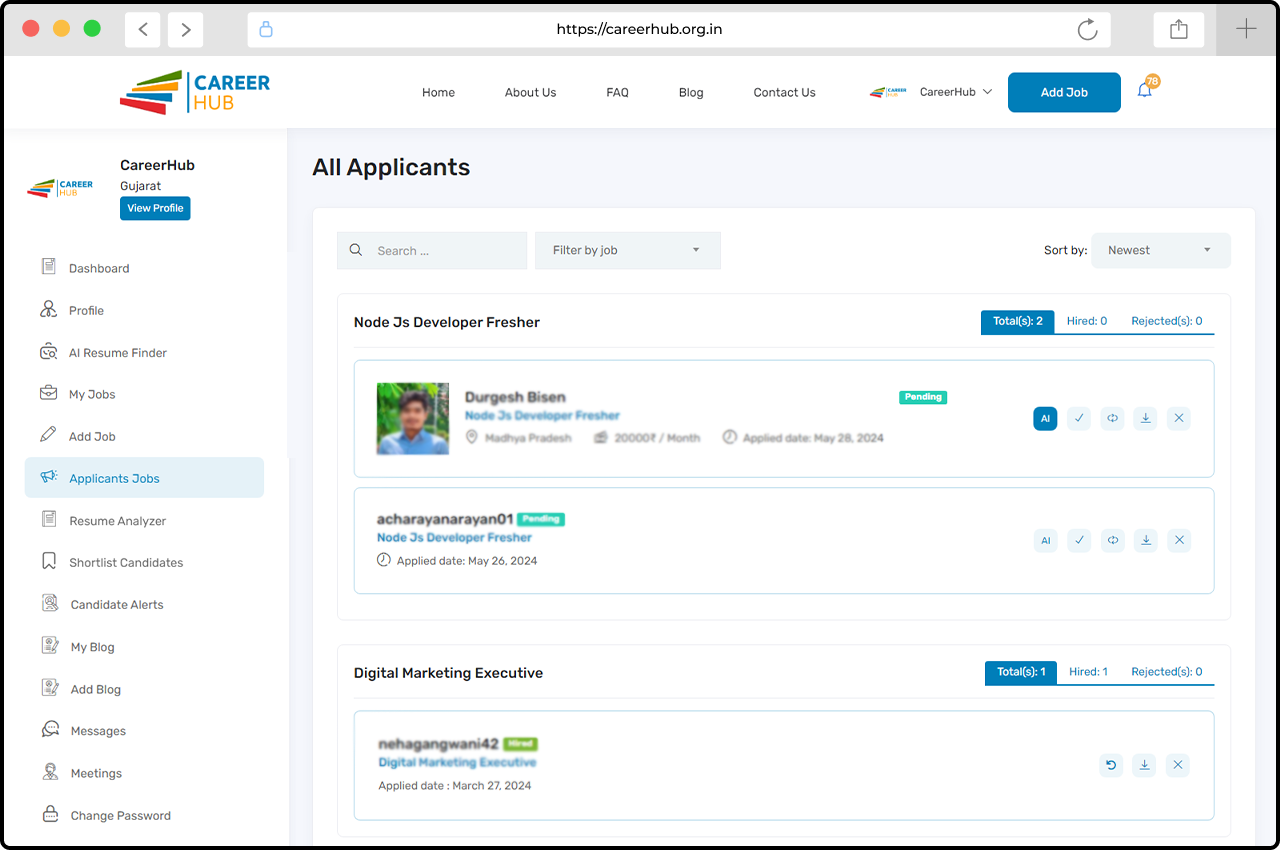
5. Click the “AI” button
Click the AI button to view detailed candidate information quickly, saving you time.
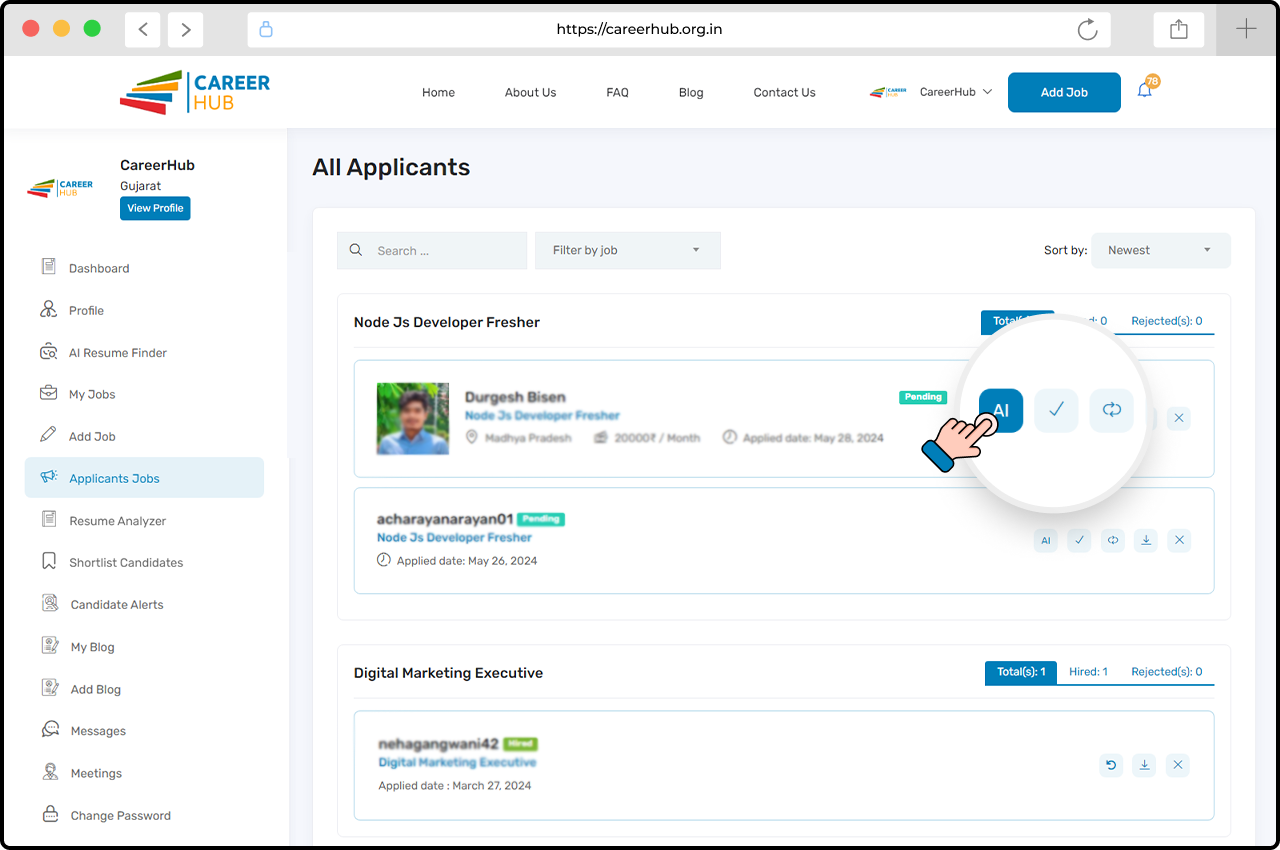
6. Analyze Applicants resumes With AI
After clicking the AI button, you can analyze candidate resumes more effectively. If the candidate added their information and skills to their resume, then HR would view View: Resume Analysis, including Education, Key Skills, Languages, Candidate Strengths, and Weaknesses.
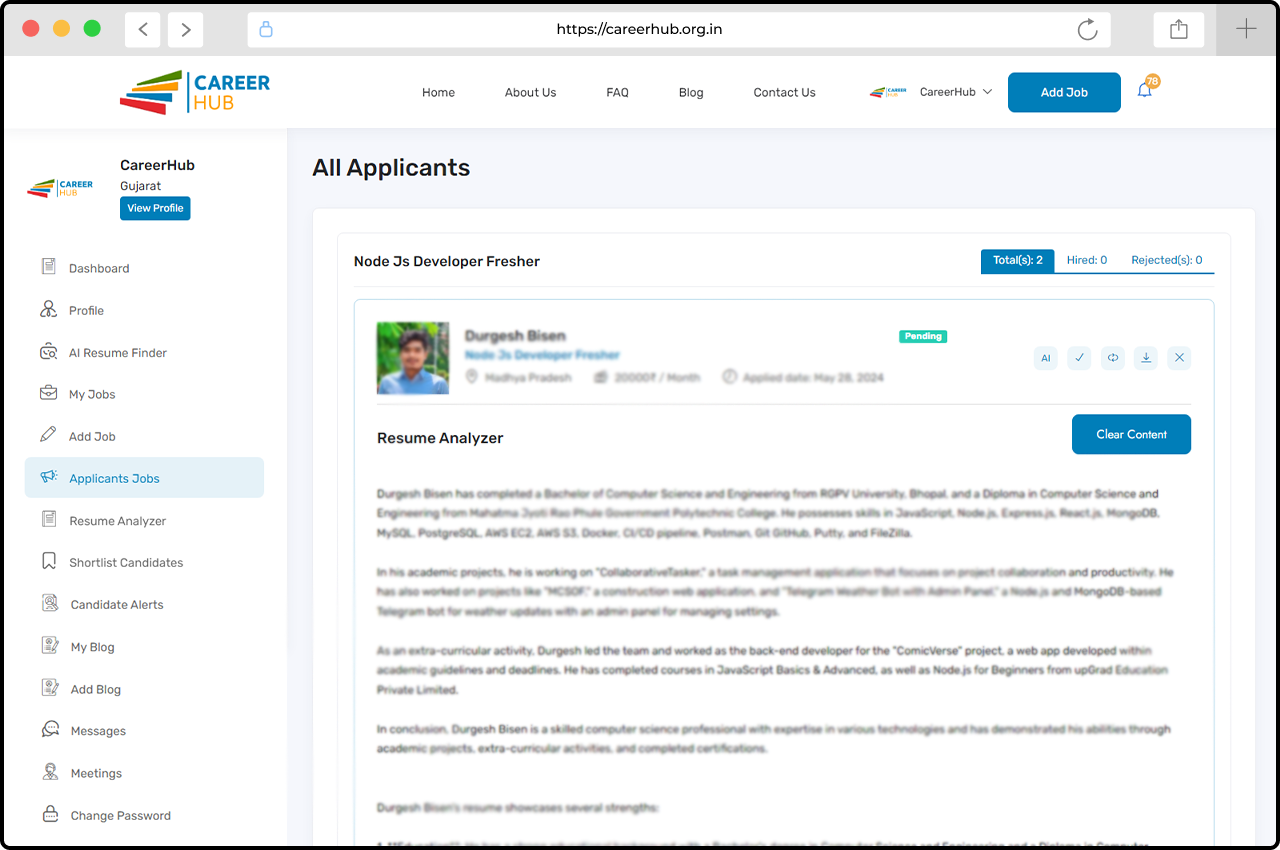
Now, let’s move on to the second option:
Option – 2
1. Go to the HR Dashboard
Once logged in, go to the HR dashboard to manage job postings and other HR tasks.
2. Click on “Resume Analyzer”
In the HR dashboard, Find and click the “Resume Analyzer” on the sidebar.
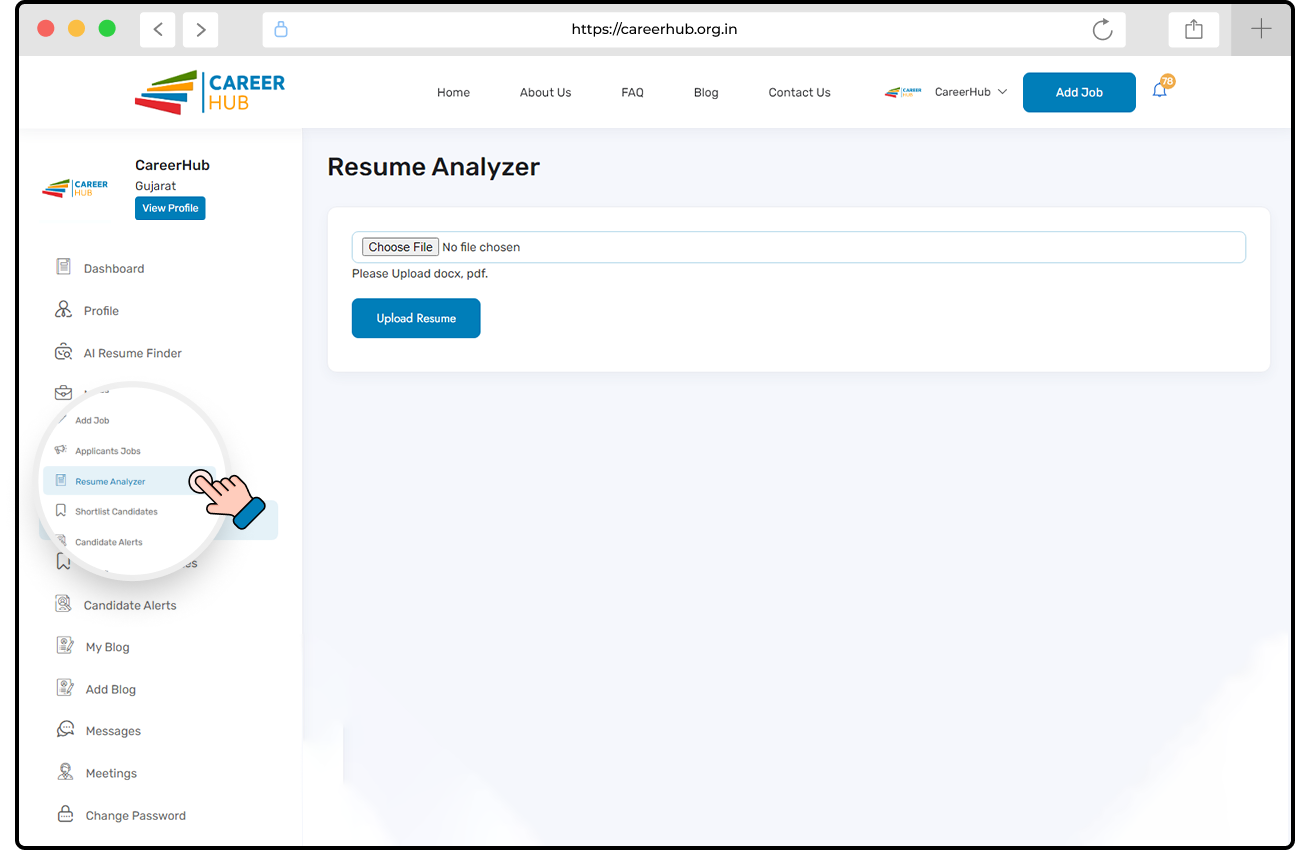
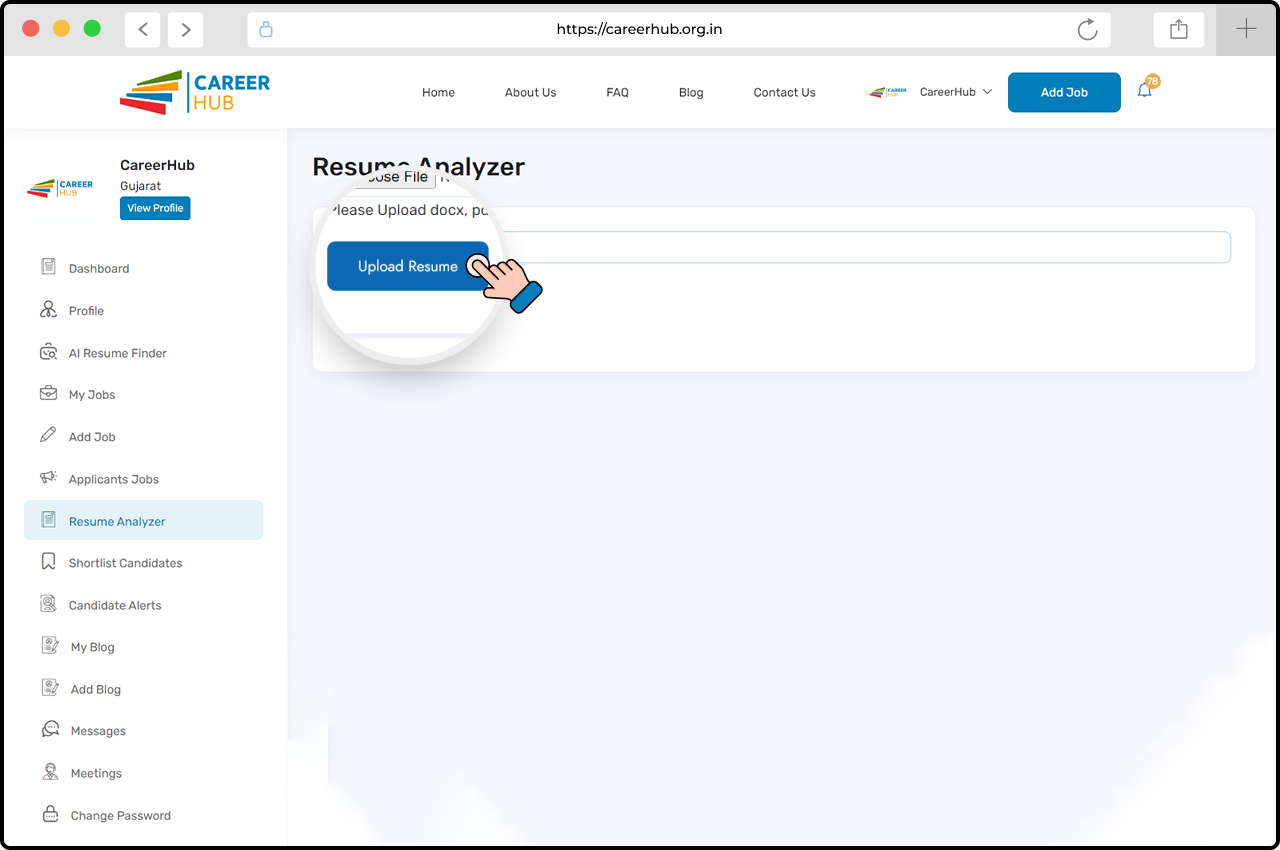
3. Choose Candidate Resume
Choose the resume file (PDF or DOCX) of your shortlisted candidate.
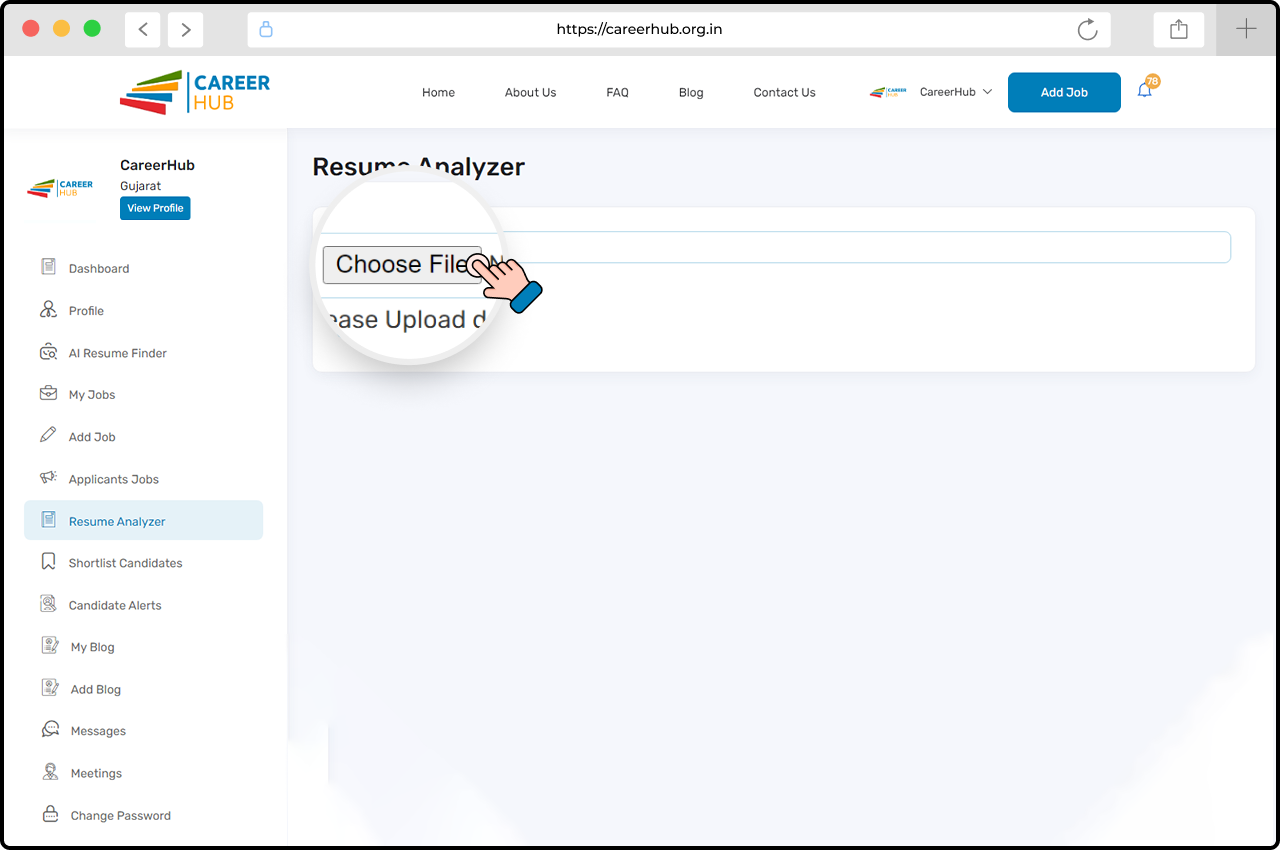
4. Upload the Candidate’s Resume
Click the “Upload Resume” button to upload the selected resume. After the upload is complete, you’ll receive a confirmation message.
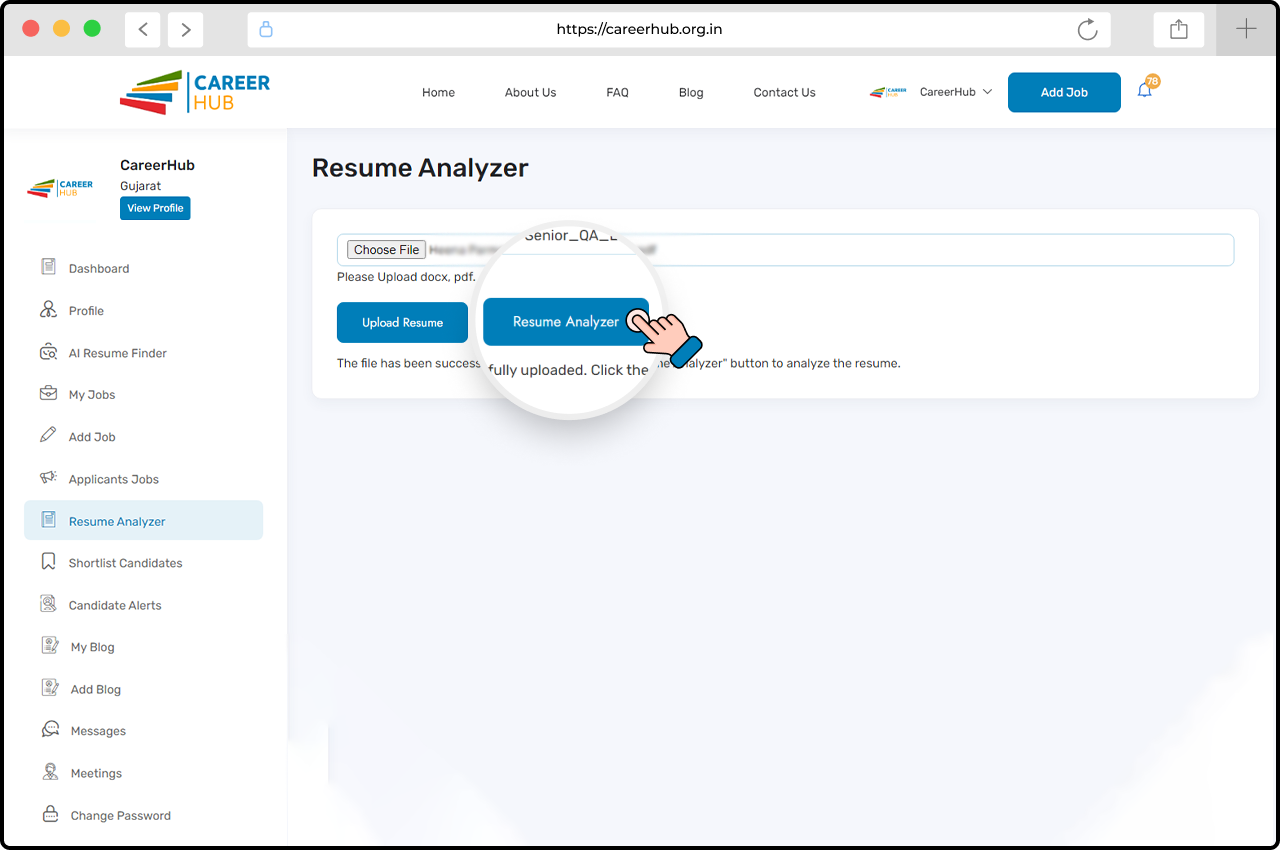
5. Click “Resume Analyzer’’ button and Start the Analysis
Click the “Resume Analyzer” button to view candidate details and start the analysis. This feature will evaluate the resume based on key factors such as education, skills, languages, strengths, and areas for improvement.
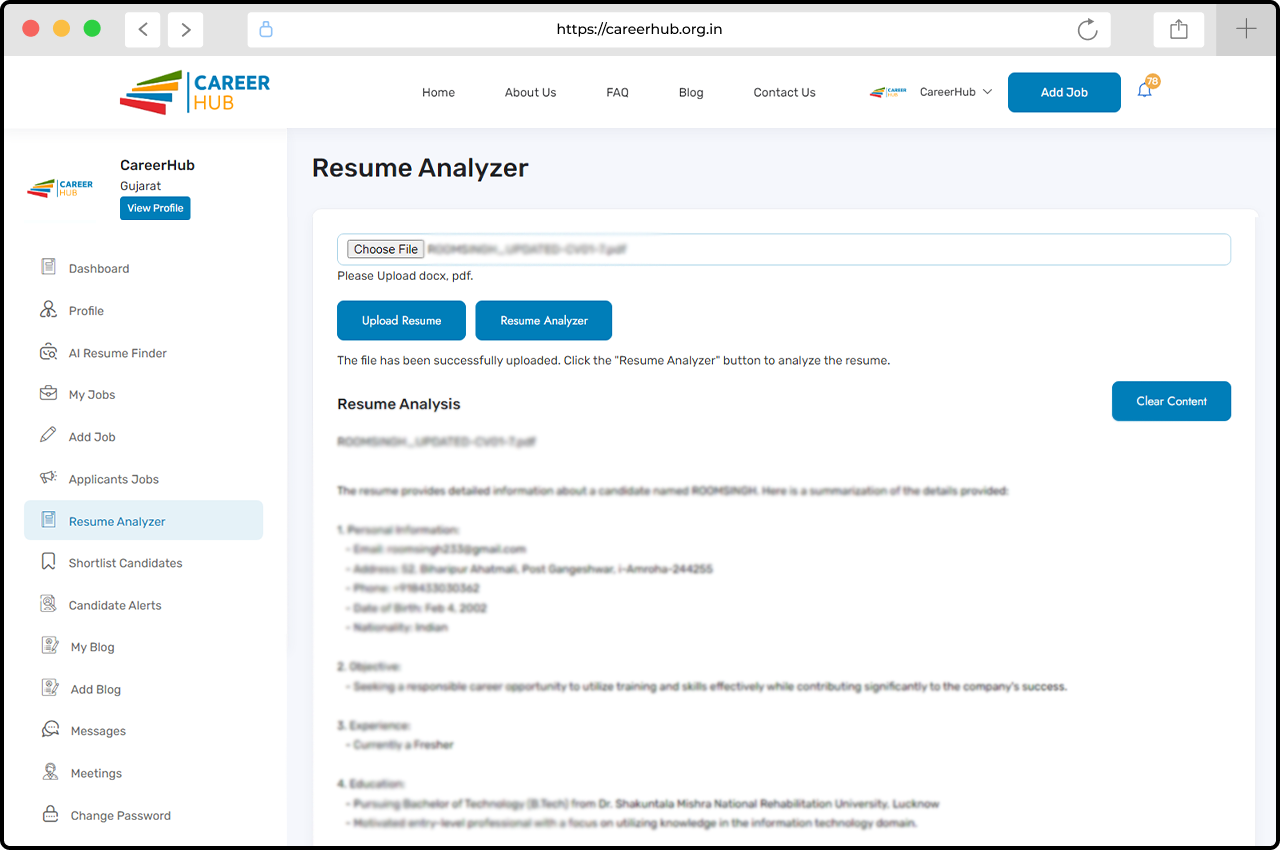
6. Review and Make Accurate Decisions
Use the detailed insights to review the resume and make informed hiring decisions. This helps you save time and improve your recruitment process.
CareerHub’s Resume Analyzer helps make hiring easier and faster. It’s great for finding the right talent quickly. We’re always adding new features to help HR professionals throughout the hiring process.
For more information, Visit our Website: https://careerhub.org.in/









